

Draw pixel art online with people around the world
Everyone Draw is one shared canvas with no edges. Pick a color, place a pixel, and build something with whoever else is here. It's free in your browser and on iOS and Android.
No download or sign-up.
— pixels drawn by — artists so far.

Play free in your browser, no download or sign-up
You don't need an account to draw, on the website or in the app. Signing in is optional: it saves bookmarks of your favorite spots, and in the app it lets you make timelapses.
Open the canvas
It runs in the browser on your phone, tablet or computer, so there's nothing to install.
Pick a color
Choose from 16 colors on the web, or 32 in the app. Look around first, or find an empty spot to start something new.
Place a pixel
Click or tap the canvas. Your pixel shows up for everyone the moment you place it.
Community pixel art projects you can join
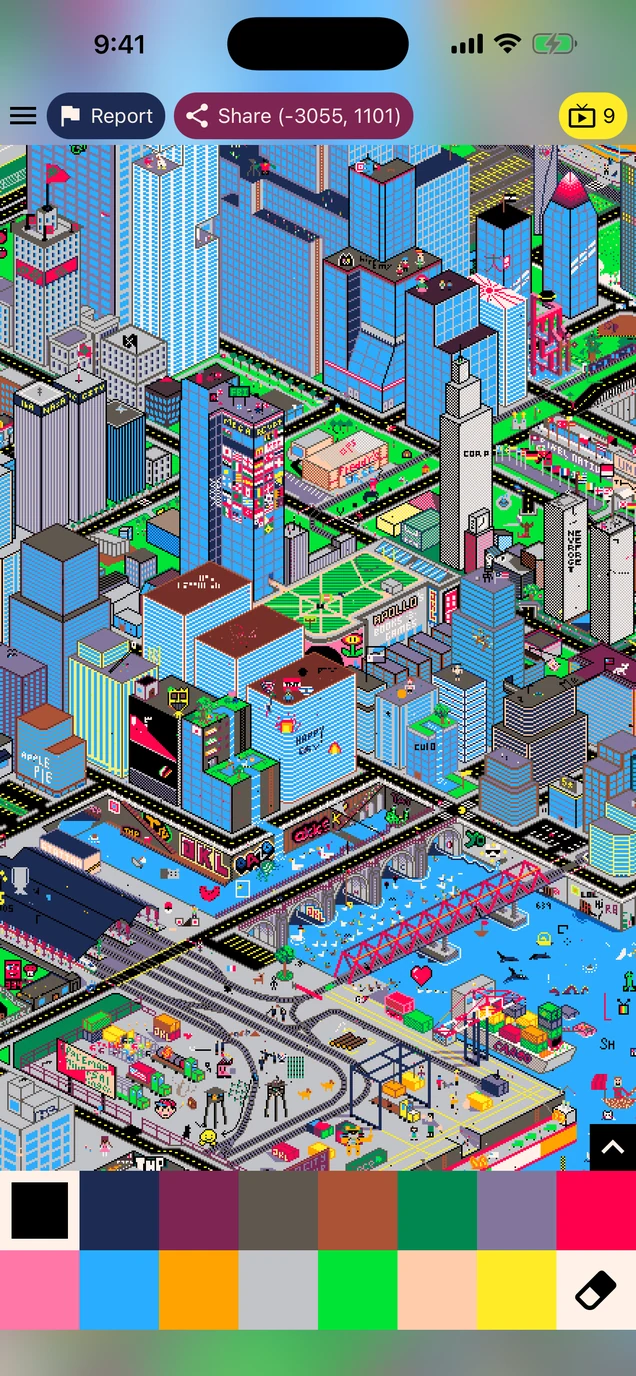
Some of the best things on the canvas are big projects that players build together: pixel cities, a world map, a forest, a tower with a different room on every floor. Anyone can add to them, and people keep coming back to build and repair them.
Find projects that need help, plan new ones and vote on the next community event.
Canvas snapshots from October 2026. Visit a project to see what's there now.
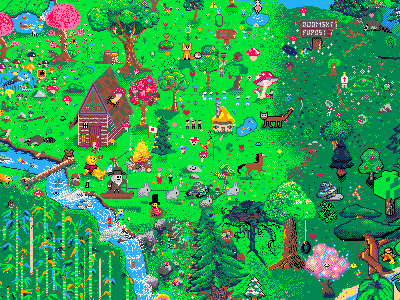
Magic Forest
Started January 2023
Giant willows, a river, a log cabin and hundreds of tiny trees, mushrooms and animals.
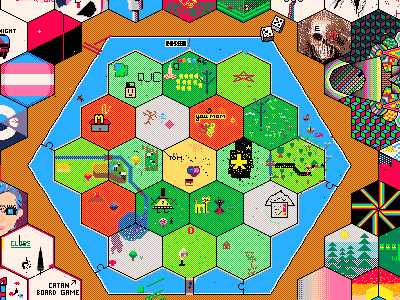
Hexagonal Cells
Started January 2023
A honeycomb of hexagon tiles, each holding its own small drawing. Find an empty one and fill it in.
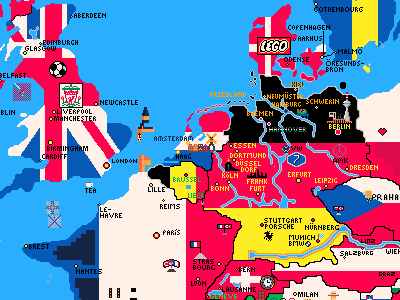
World Map
Started May 2025
Countries painted in their flags, with cities and landmarks marked. It was the community project of May 2025.
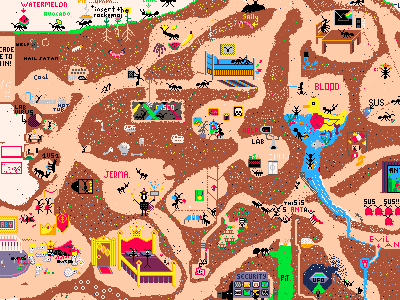
Underground Ant Colony
Started April 2023
Tunnels and chambers dug below the surface, with ants furnishing every room.
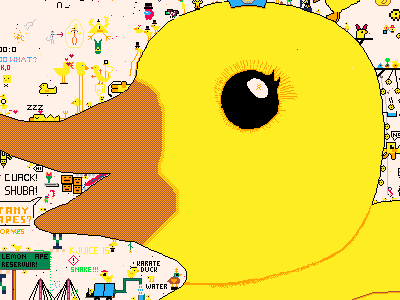
Giant Duck
Started March 2023
A rubber duck hundreds of pixels long, floating in a pond full of smaller ducks.
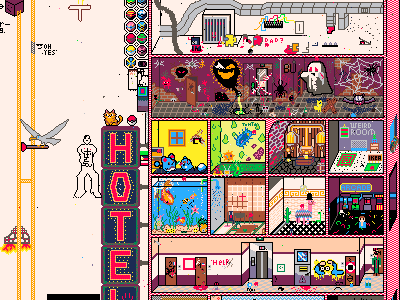
Giant Skyscraper
Started May 2023
A hotel tower with a different room on every floor, from a haunted floor to an aquarium.
One infinite canvas, shared by everyone
Everyone Draw is a multiplayer pixel art game without rounds or teams. There's a single canvas, it keeps growing, and whatever you draw joins everything everyone else has drawn.
- Start anywhere
- The center, around (0, 0), is crowded and always changing. Head a few thousand pixels out and you'll find open space to start something new.
- Watch it change live
- Every pixel shows up for everyone the moment it's placed. Leave the canvas open and watch drawings come together, pixel by pixel.
- Make a timelapse
- In the app, sign in to make a timelapse video of any area and see how it was drawn, from the first pixel to now.
- Moderated by volunteers
- Anyone can paint over anything, and that's part of the fun. Volunteer moderators remove hateful or explicit art, ban the people who post it and sometimes repair heavy vandalism.
Frequently asked questions
Anything else? Ask on Discord.
Is Everyone Draw free?
Yes. Drawing is free on the website and in the iPhone and Android apps.
Do I need an account?
No. You can draw without signing in, on the web and in the app. Signing in only saves bookmarks of your favorite spots, and in the app it lets you make timelapses.
Is it like r/place?
It's the same idea: everyone places pixels on one shared canvas. r/place was a Reddit event that ran for a few days at a time. Everyone Draw is open every day, on a canvas billions of pixels wide, with apps for iPhone and Android.
How is it different from wplace?
wplace puts its canvas on a map of the real world. Everyone Draw's canvas is a blank, endless space where you can start anywhere, and you can draw without making an account.
Is there a chat?
Not on the canvas. Players talk on the Everyone Draw Discord, where they plan community projects and share coordinates.
Can I make a private area?
No. Every pixel is public and anyone can change it. If you'd rather work undisturbed, use the "New drawing" button to start far away from (0, 0), where few people go.
Is the canvas really infinite?
Maybe. Maybe not. That's for you to find out. It's billions of pixels wide, so you won't run out of room.
What about bots?
Drawings made by bots are against the rules. Moderators ban the people running them and clean up what they draw.
What isn't allowed?
- Nudity and overtly sexual material.
- Any content that attacks a group based on race, ethnicity, national origin, religion, sexual orientation, gender identity, or disability.
- Hate symbols including acronyms, numbers, phrases, logos, flags, and gestures.
- Content that is violent or promotes terrorism.
- Obscene language.
- URLs or QR codes to sites containing prohibited content.
- Drawings created by bots.
Someone changed my drawing. What should I do?
If you draw in a popular area or share your coordinates, someone will almost certainly change your drawing or try to claim the space. That's part of the fun! The canvas never stops changing, and anything can be drawn over at any time. If you see something that breaks the rules, such as nudity or hate speech, report it. Otherwise, be ready to defend your artwork.
To draw where fewer people will find you, use the "New drawing" button to start far from (0, 0). There are also plenty of other pixel art drawing apps for drawing on your own.
Can a moderator restore my drawing?
Moderators keep the canvas free of prohibited content. They don't restore drawings to how they were. They sometimes revert extreme vandalism and clean up areas, but that's their call, so please don't rely on them to look after your drawings.
I can't place pixels. What's going on?
The server occasionally has problems that stop people from drawing for a few minutes. If it lasts longer than that, see the help page.
How many pixels have been drawn?
The count is growing as people draw. The stats page has the count for every month.
Who made Everyone Draw?
Sean Gransee built it, and a team of volunteer moderators looks after the canvas.